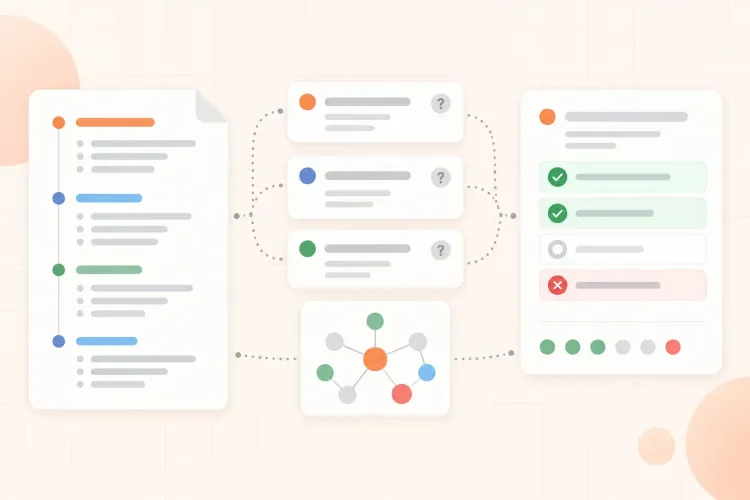

Lecture slides are useful because they show the shape of a course. They are also easy to study badly: you scroll through polished pages, recognize the terms, and finish without knowing what you could answer without help. The goal before an exam is to turn the deck into questions you can answer, not a script you can reread.
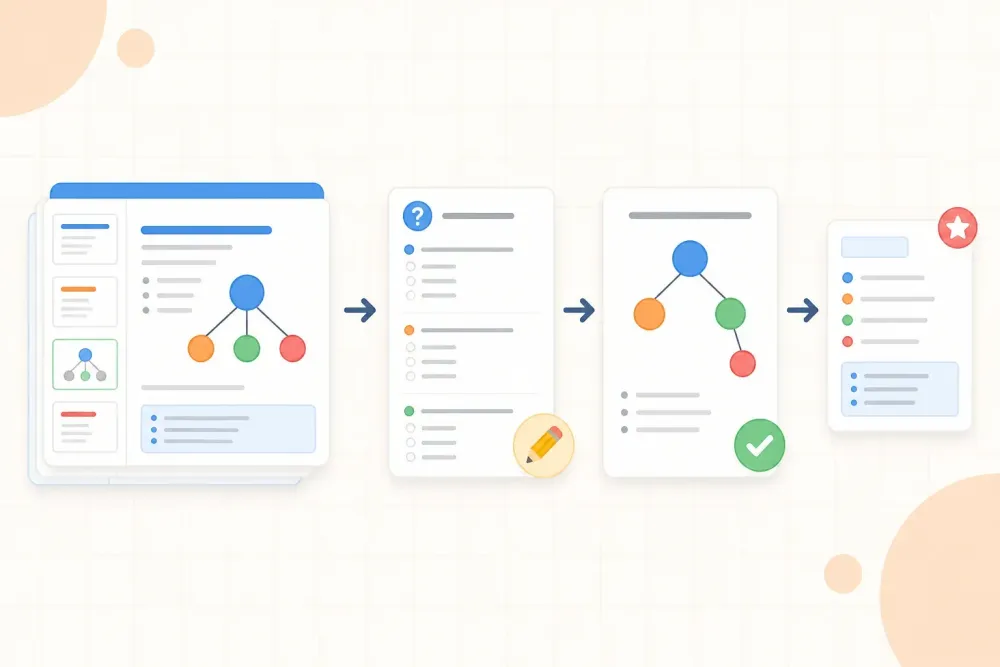
The workflow is simple: map the scope, turn slide structure into questions, reconstruct important visuals, check what the lecturer emphasized, and practise with the slides closed. You should finish with a small question set and a clear list of points that still need repair.
How to study from lecture slides before an exam
Use this sequence for each lecture or slide deck:
- Map the deck. Scan the headings, learning objectives, diagrams, examples, and summary slides.
- Mark the exam signals. Note repeated ideas, worked examples, warnings, comparisons, and anything the lecturer spent time explaining.
- Write retrieval questions. Turn each important heading or visual into a question you must answer without looking.
- Study in passes. Use the slides to repair gaps, then close them and answer again.
- Build a final question set. Keep the questions that test relationships, decisions, processes, and applications your exam may require.
This is different from making a second copy of the deck. You are extracting the structure that tells you what to practise. Once you have a question set, you can turn lecture notes into quiz questions when you want a more structured way to answer, mark, and review them.
How to prioritize PowerPoint slides for an exam
Do not give every slide equal weight. Before studying the deck in detail, check the course outline, learning objectives, tutorial questions, exam guide, and past papers if they are available. Use them as a filter: a concept listed in the objectives, reappearing in tutorial work, and emphasized in class deserves more practice time than a transition slide or repeated definition.
When past papers are unavailable, what the lecturer emphasized is your most useful local signal. Mark ideas that were repeated, explained with more than one example, connected to an earlier topic, or described as a common mistake. This keeps the workflow focused on likely understanding and application rather than on the number of slides in the file.
Do not study slides one by one
A slide-by-slide reread gives every page the same attention, even though a deck usually contains different kinds of information. Some slides define a term, some explain a mechanism, some show an exception, and some only introduce the next section.
Start with a fast structural pass. Read the deck title, section headings, learning objectives, diagrams, tables, and summary slides. Do not try to memorize the sentences yet. Use this pass to see how the sections fit together and what each one is asking you to understand or do.
This first pass gives you a route through the material. It also prevents a common trap: spending twenty minutes polishing notes from the first few slides and leaving the final half of the lecture untouched.
Turn slide headings into exam questions
A heading is often a compressed question. Expand it before you study the details. For example:
- Stages of cellular respiration becomes: What are the stages, where does each occur, and what does each produce?
- Factors affecting enzyme activity becomes: How would temperature or pH change the rate, and why?
- Market failure becomes: What causes it, how can it be identified, and which intervention could address it?
Good questions ask you to define, explain, compare, predict, calculate, justify, or apply. A question that only asks you to recognize a slide title is too weak to guide exam preparation.
Keep the question close to the source wording when that wording matters, but make the task explicit. If a slide says "evaluation," ask what must be evaluated and against which criteria. If it says "case study," ask what the example demonstrates and what would change in a different case.
Rebuild diagrams and tables from memory
Visual slides can create a strong feeling of familiarity. Test whether you can reproduce the relationship without the slide in front of you. Close the deck and draw the pathway, axes, categories, sequence, or comparison table from memory.
Then compare your version with the slide. Check three things:
- Did you include the parts that explain the relationship, not only the labels?
- Did you put the stages, causes, or categories in the correct order?
- Could you explain what would change if one condition were different?
For a diagram-heavy subject, reconstruction can be more useful than another visual reread. It shows whether the diagram supports understanding or merely cues recognition.
Look for lecturer emphasis
Slides rarely contain every signal that matters for an exam. Bring in context from the lecture: a point the lecturer repeated, a question they paused to answer, an example they developed at the board, a warning about a common mistake, or a distinction they said students often confuse.
Put that context beside the relevant slide question. For example, instead of keeping a note that says "important," write: "Why is this distinction important, and what mistake would it prevent in an exam answer?" If the lecturer warned that students often confuse two steps, turn that warning into a comparison question. This turns emphasis into a task you can test.
If the notes you took during the lecture are incomplete or difficult to search, you can organize incomplete lecture notes with AI after preserving the original source. Check the result against the slides so the notes add context without silently replacing what the lecturer showed.
Compare slides with notes and readings
Slides are often an outline, not the complete course material. Before treating a slide as a full explanation, check whether the lecturer expected you to use a textbook section, handout, article, or worked example alongside it.
Use the slide deck to decide where to look, then use the textbook, handout, or worked example to answer the question more precisely. Record the relevant section beside the question so you can repair the gap quickly later. Do not merge every source into one giant summary if the result becomes harder to test.
A useful check is to ask whether the slide gives you the answer or only the topic. If it gives only a label, definition, or diagram, find the explanation needed to answer a likely question. If it already contains a complete worked example, practise reproducing the reasoning rather than rewriting it.
This approach is also consistent with a university guide to studying PowerPoint material, which recommends previewing slides, identifying their structure, and transforming important content into active tasks. For a concise reference, see SDSU's PowerPoint study guide.
Example: turn a biology lecture into a question set
Imagine a 45-minute biology lecture on cellular respiration with 24 slides. A passive study session rereads all 24 slides and highlights the definitions. A more useful session turns the deck into six focused questions:
- What happens during glycolysis, and where does it occur?
- Why does the electron transport chain depend on a proton gradient?
- Rebuild the pathway from glucose to ATP without the diagram.
- Compare substrate-level phosphorylation with oxidative phosphorylation.
- Predict what would happen if oxygen were unavailable at the end of the chain.
- Explain why the number of ATP molecules is an estimate rather than a fixed universal value.
Together, the six questions cover facts, mechanisms, diagrams, comparisons, and application. Answer them with the slides closed, reopen only the slides that reveal a gap, and add the missed questions to a later review set. The deck has become an exam map instead of a 24-page rereading task.
Build a final question set
Now reduce the draft questions to a set that is small enough to answer and broad enough to represent the lecture. Use this filter:
- Core definitions that the exam is likely to require
- Relationships between steps, causes, or concepts
- Comparisons that distinguish similar ideas
- Diagrams, tables, calculations, or sequences you must rebuild
- Applications that change a condition or introduce a new example
- Common mistakes or lecturer warnings
Write a short answer or list of required elements only after you have tried the question. This gives you something to check without turning the answer into a script to memorize. That answer-first habit is the core of active recall; for a fuller explanation, read why answering before checking improves learning.
Use a 60-minute slide study session
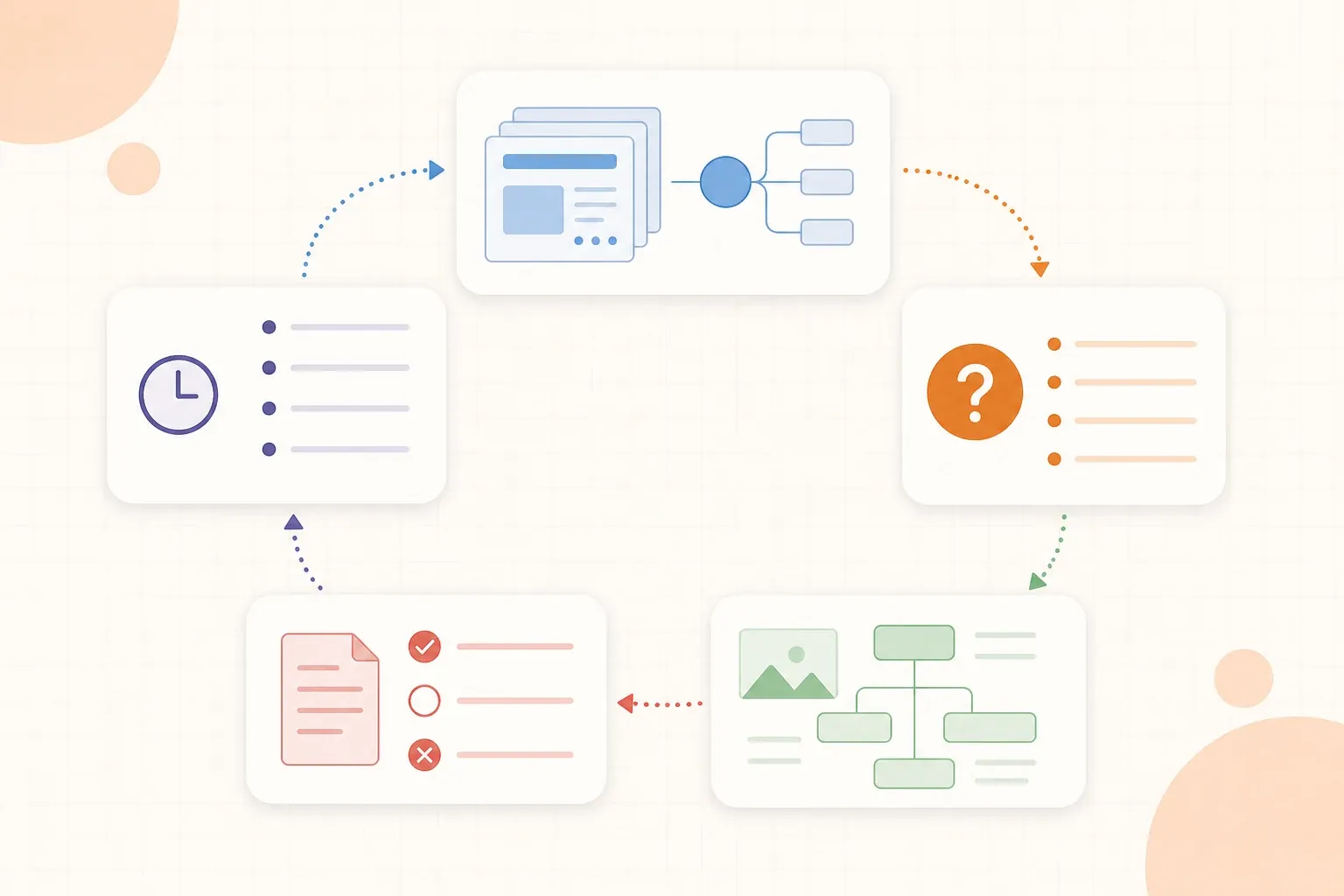
When time is limited, use one lecture deck as a focused session:
- 10 minutes: map the deck. Scan headings, objectives, visuals, examples, and summaries.
- 15 minutes: mark exam signals. Add lecturer emphasis and connect slides to notes or readings.
- 20 minutes: write and answer questions. Keep the deck closed while you retrieve.
- 10 minutes: repair gaps. Reopen only the slides or source sections you needed.
- 5 minutes: set the next review. Keep the questions you missed and schedule them after a gap.
This time box is not a rule for every course. A calculation-heavy lecture may need longer problem practice, while a diagram-heavy lecture may need more reconstruction. The point is to protect time for retrieval instead of letting slide cleanup consume the session.
When lecture slides are not enough
Slides are not enough on their own when they contain only keywords, omit worked reasoning, or assume knowledge from a reading. They may also leave out what was said aloud. If you cannot answer a question from the deck, do not automatically conclude that you are weak at the topic. Check the lecture recording, notes, textbook, or course objectives for the missing context.
You also do not need to turn every slide into a question. Skip navigation pages, repeated instructions, decorative images, and examples that do not add a new decision or relationship. Keep the questions that represent what you may need to produce on the exam.
Lecture slides become useful study material when they stop being something to scroll through and start becoming a set of things you can answer. Map the deck, turn structure into questions, rebuild the important visuals, check the missing context, and practise without the slides open.