AI can help you study faster, but it can also make studying feel easier than it really is. The risky version is simple: paste in an assignment, accept the answer, and move on without building the skill yourself.
That is not just an academic integrity problem. It is a learning problem. If AI does the thinking before you try, the work may be finished, but the understanding is not.
A better rule is: use AI to support the study process, not replace the part where your brain has to work. That means using AI to explain, question, organize, quiz, challenge, and give feedback while you still produce the answer yourself.
What cheating yourself with AI looks like
Cheating yourself does not always look like copying a full essay. It can be much quieter.
It might look like:
- Asking AI to summarize a chapter and never opening the source.
- Generating flashcards but never answering them honestly.
- Asking for a solved problem before trying the first step.
- Letting AI rewrite notes until they sound clear, even though the idea is still vague.
- Submitting an answer you could not explain out loud.
The problem is not that AI helped. The problem is that AI removed the useful difficulty. Learning usually needs some friction: recalling, comparing, explaining, applying, making mistakes, and checking gaps.
UNESCO's guidance on generative AI in education and research frames the issue around human agency, safety, and meaningful use. For a student, that translates into a practical question: does the tool leave you more able to think, or just more able to hand in an answer?
The useful way to use AI for studying
The best way to use AI for studying is to keep the source and your own attempt at the center.
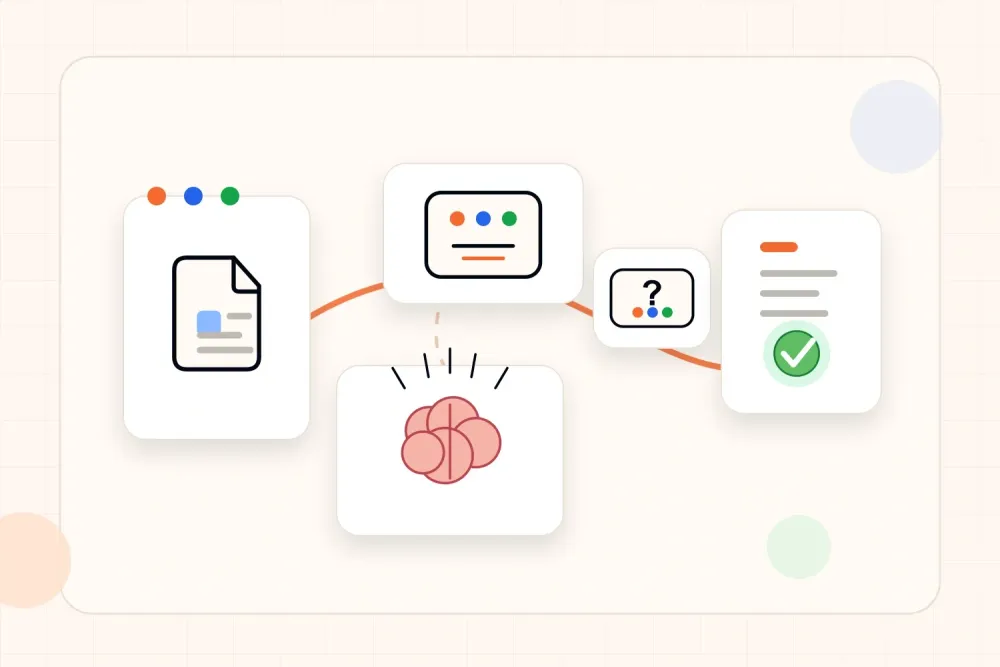
Use this order:
- Bring the source: notes, PDF, slides, textbook section, lecture transcript, problem set, or video notes.
- Ask AI for help with structure, explanations, examples, or questions.
- Try the answer yourself before seeing a final version.
- Check the AI output against the source and your class expectations.
- Rewrite the final answer in your own words.
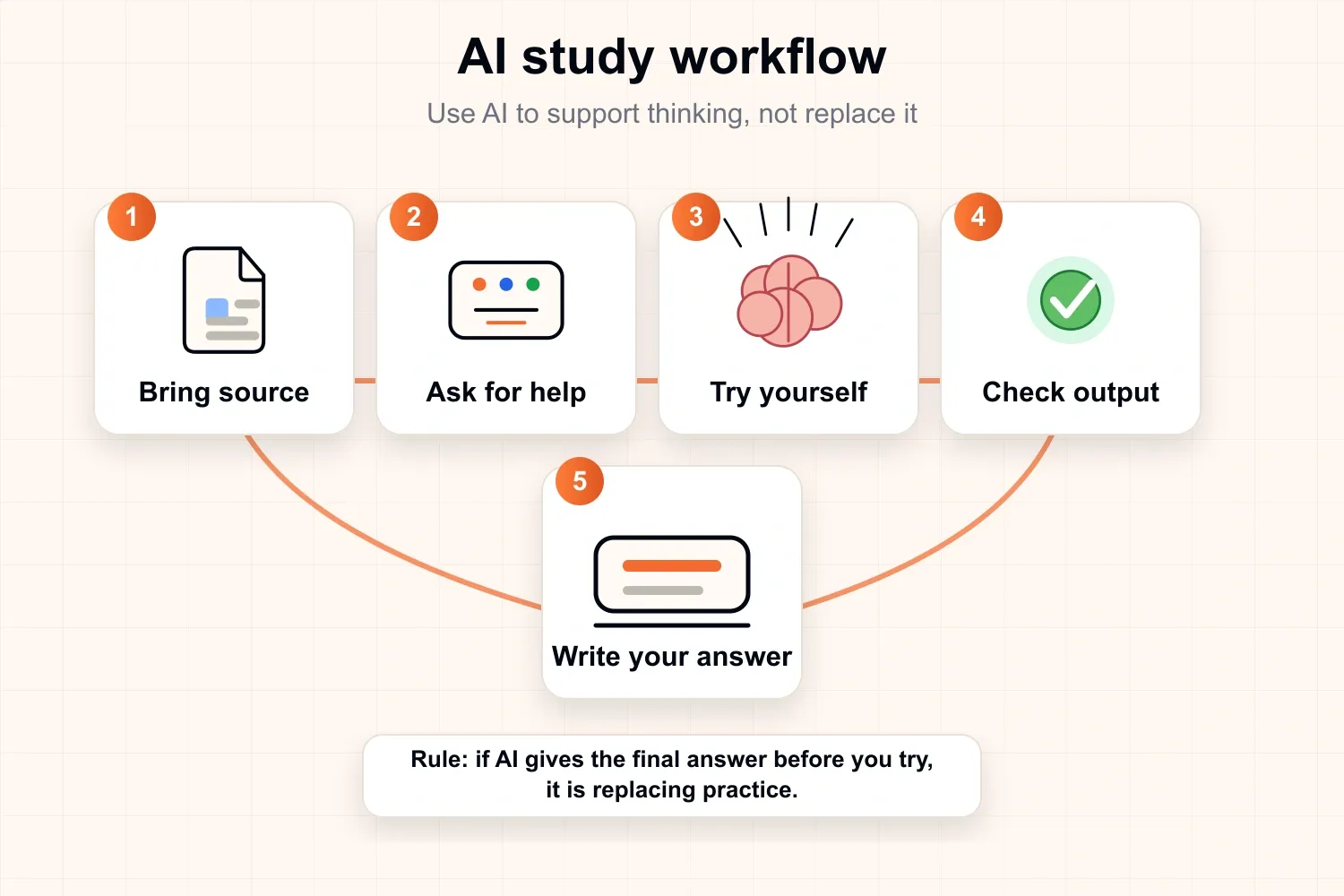
This keeps AI in the role of tutor, question-maker, organizer, and feedback partner. It keeps you in the role of learner.
AI as tutor, not ghostwriter
A tutor helps you understand a topic. A ghostwriter replaces your work.
Use AI as a tutor when you ask for:
- A simpler explanation of a difficult paragraph.
- A step-by-step hint instead of a full solution.
- Examples and non-examples.
- Questions that test whether you understood.
- Feedback on an answer you already wrote.
- A list of gaps or weak points to review.
Use caution when you ask for:
- A finished essay.
- A complete homework answer.
- A solved problem with no attempt from you.
- A summary that replaces the source.
- A rewritten paragraph you do not understand.
The difference is control. If AI gives you a final answer too early, it becomes easy to recognize a good response without being able to produce one.
That is why this workflow connects naturally to the active recall workflow: answer first, then check. AI should make that cycle easier to run, not remove it.
Good prompts that keep you learning
Good prompts make AI do the supportive work around learning while leaving the core thinking to you.
Use prompts like these:
- Explain this paragraph in simpler language, then ask three questions that test the main idea.
- Give a hint for this problem, but do not solve it yet.
- Turn these notes into practice questions. Hide the answers until after each question.
- Ask questions one at a time and wait for an answer before giving feedback.
- Check this answer against the source and list what is missing.
- Give a similar problem with different numbers or a different example.
- Create a short review plan based on the mistakes in these answers.
Avoid prompts like these when the goal is learning:
- Write the full answer for this assignment.
- Solve every question and explain later.
- Summarize this entire topic so studying is not needed.
- Rewrite this until it sounds perfect.
The safer prompt usually includes a boundary: do not give the answer yet, ask one question at a time, check against the source, or give feedback on an attempt.
| Weak prompt | Better prompt | Why it works |
|---|---|---|
| Write the answer | Give a hint, then wait for an attempt | The answer still has to be produced |
| Summarize everything | Turn this section into five questions | The output becomes practice |
| Solve this problem | Give the next step only | You keep doing the work |
| Make this sound perfect | Check this answer for missing ideas | Feedback improves the response |
A useful AI study session should leave space for your own answer. In a written test format, the tool can create a prompt from your source material, but the thinking still happens before feedback.

A simple AI study loop
Use this loop for PDFs, lecture notes, slides, videos, and textbook chapters.
| Step | What to do | Why it helps |
|---|---|---|
| Source | Paste or upload the class material | AI stays grounded in what you actually need to learn |
| Explain | Ask for a clearer explanation | Confusing ideas become easier to approach |
| Question | Turn the material into quiz questions | Passive reading becomes active practice |
| Attempt | Answer without looking at the answer | You test recall, not recognition |
| Feedback | Compare your answer with the source | Mistakes become review targets |
| Review | Repeat weak questions later | Practice focuses on what still needs work |
The loop is more important than the tool. A plain chatbot can help with parts of it. A study workspace can make it easier to keep sources, notes, quizzes, flashcards, and weak-topic review connected. If you are comparing options, this guide to choosing an AI study tool explains what to look for.
When AI is probably helping
AI is probably helping when the session leaves evidence of your own thinking.
Good signs include:
- You can explain the answer without reading the AI response.
- You have questions to test later.
- You know which parts are weak.
- You corrected a mistake after checking the source.
- You can solve a similar problem without asking again.
- Your notes are shorter, clearer, and easier to test.
AI is also useful for getting unstuck. If a topic feels impossible, asking for a smaller explanation or a hint can keep the session moving. The key is to return to practice after the explanation.
Stanford's AI + Education work describes the goal as using AI in education to enhance learning rather than repeat weak teaching methods. Its overview of AI and education points toward the same principle: AI is most valuable when it supports better learning design, not when it simply automates the old task.
When AI is probably replacing learning
AI is probably replacing learning when the session ends with a polished answer but no stronger memory.
Warning signs include:
- You cannot explain the answer without looking.
- You skip the source and trust the generated summary.
- You ask for the final answer before trying.
- You only read AI explanations without answering questions.
- You copy phrasing that does not sound like you.
- You feel productive but have nothing to review later.
A simple check helps: close the AI response and explain the idea in three sentences. If that feels impossible, the session is not finished yet.
What to check before using AI for schoolwork
Different schools, teachers, and exams have different AI rules. Before using AI on graded work, check the policy for that class.
Look for:
- Whether AI is allowed at all.
- Whether it can be used for brainstorming, outlining, editing, or feedback.
- Whether generated text must be cited or disclosed.
- Whether tools are banned for take-home tests or essays.
- Whether the assignment is measuring the process, the final answer, or both.
If the rule is unclear, use AI for practice before the graded work rather than for the submission itself. For example, ask for questions, hints, explanations, or feedback on a separate practice answer.
AI study examples that are safe and useful
For a PDF chapter, ask AI to create questions from one small section. Answer them without the PDF open, then check the source. If the document is dense, you can also generate PDF-based quiz questions and use the results as a practice set.
For a lecture video, ask for a short outline, then quiz yourself on the key ideas. If a section is confusing, ask for an analogy or a simpler explanation, then close the explanation and answer a question from memory.
For an essay, ask AI to challenge your argument instead of writing it. A useful prompt is: find the weakest assumption in this outline and ask questions that would make the argument stronger.
For math, coding, or science problems, ask for the next hint only. After each hint, try the next step yourself. Only ask for the full solution after you have made a serious attempt.
If you want one place for sources, notes, quizzes, flashcards, and review, you can keep sources and practice in one workspace. The same rule still applies: AI should support the session, while you do the thinking.
Quick AI study checklist
Before you trust an AI-assisted study session, ask:
- Did the session use the actual source material?
- Was there an attempt before seeing the final answer?
- Can the idea be explained without AI open?
- Is the weak or missing part clear?
- Is the next review target clear?
- Is this use allowed by the class or exam rules?
If most answers are yes, AI is probably supporting learning. If most answers are no, it is probably replacing the practice you needed.
The takeaway
AI is not automatically cheating, and it is not automatically good studying. The difference is where the thinking happens.
Use AI before practice to make the material clearer. Use it during practice to ask better questions. Use it after practice to check gaps. Be careful when it gives the final answer before you have tried.
The strongest AI study habit is simple: bring the source, ask for support, try first, check carefully, and leave with something you can explain without the tool open. Let AI support the session, but keep the learning in your hands.